Natural Language Processing (NLP) is the field of AI that helps computers understand, interpret, and generate human language. If you’ve ever used a spell checker, talked to Siri or Alexa, or seen your email filter spam, you’ve experienced NLP.
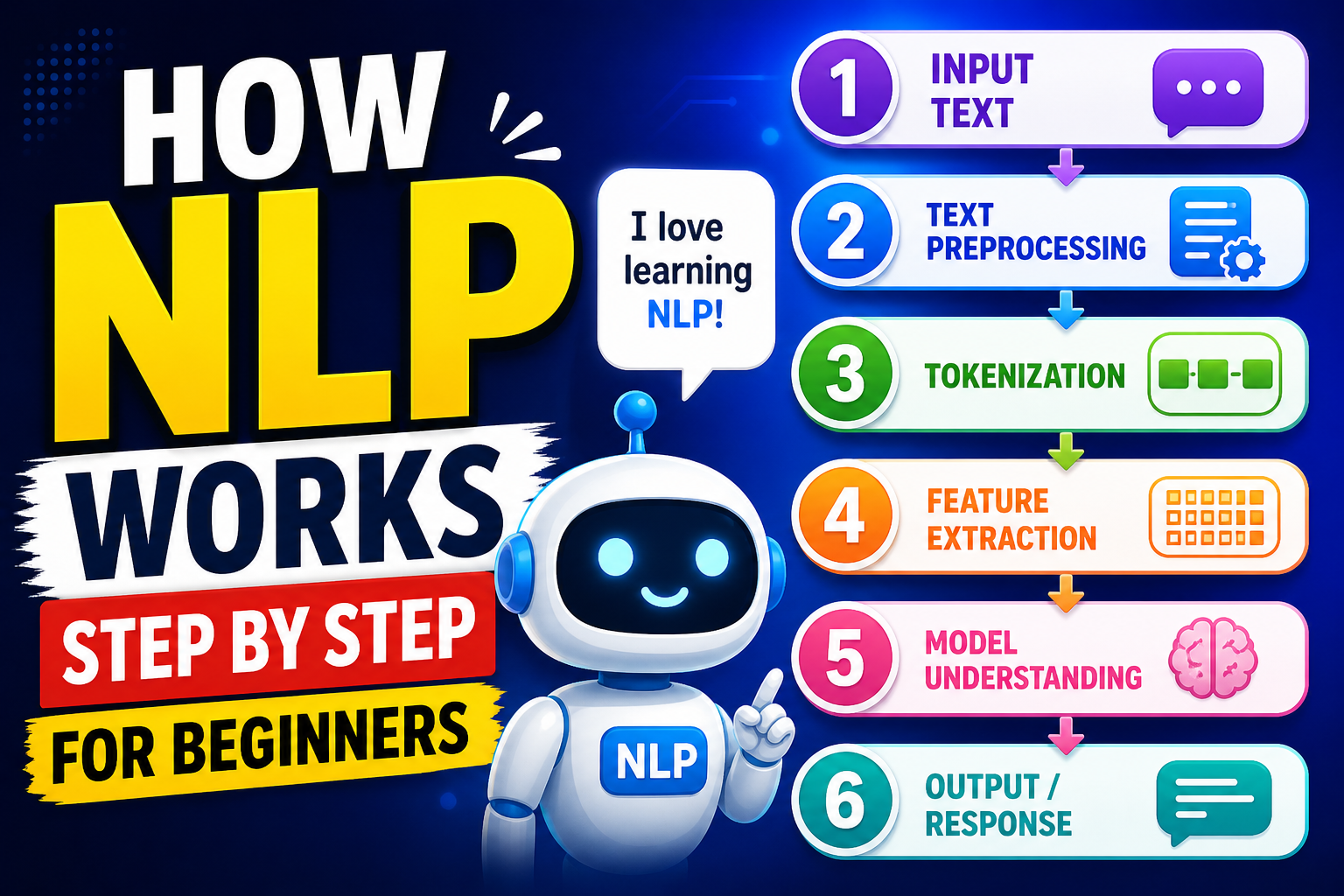
Below is a simple, step‑by‑step explanation of how NLP works — from raw text to a smart response. No coding experience required.
Step 1: Getting the raw text
NLP always starts with text. This could be a sentence you type into a search bar, an email, a tweet, or even a whole book.
Example raw text:
“I loved the movie! It was not bad at all.”
The computer sees this as nothing more than a string of characters (I, space, l, o, v, e, d…). It doesn’t yet know what “loved” means or that “not bad” is actually positive.
Step 2: Cleaning the text (preprocessing)
Raw text is messy. It contains punctuation, extra spaces, capital letters, and sometimes irrelevant words. Cleaning makes the data easier for the computer to handle.
Common cleaning steps:
- Lowercasing everything – so “Movie”, “movie”, and “MOVIE” become the same word.
- Removing punctuation – periods, commas, exclamation marks are usually stripped away.
- Removing extra spaces – turning multiple spaces into a single space.
- Removing stop words – very common words that carry little meaning, like “the”, “a”, “an”, “and”, “of”, “to”. (But sometimes they are kept, depending on the task.)
After cleaning, our example becomes:
“loved movie it was not bad all”
(We kept “it”, “was”, “not”, “all” for now – but “the” wasn’t there anyway.)
Step 3: Breaking text into pieces (tokenization)
Now the computer needs to break the sentence into smaller units it can work with – usually words or subwords. These pieces are called tokens.
Tokenization splits the cleaned text wherever there is a space or punctuation.
Our example after tokenization:
["loved", "movie", "it", "was", "not", "bad", "all"]
Some advanced tokenizers also split contractions (“don’t” → “do” + “n’t”) or handle punctuation attached to words. For beginners, word‑level tokenization is enough to understand the idea.
Step 4: Normalizing words (stemming or lemmatization)
Words can appear in many forms: “love”, “loves”, “loved”, “loving”. To help the computer see they are the same core idea, we apply stemming or lemmatization.
- Stemming – crudely chops off endings. “loved” → “love”, “playing” → “play”. It’s fast but sometimes produces non‑words (“studies” → “studi”).
- Lemmatization – uses a dictionary to return the base form (lemma) properly. “loved” → “love”, “better” → “good”. It’s slower but more accurate.
For our example, lemmatization changes nothing because “loved” becomes “love”, “movie” stays “movie”, “was” becomes “be”, “bad” stays “bad”.
Output after lemmatization:
["love", "movie", "it", "be", "not", "bad", "all"]
Step 5: Understanding structure (part‑of‑speech tagging & parsing)
Now the computer tries to understand grammatical roles. Part‑of‑speech (POS) tagging labels each word as noun, verb, adjective, etc.
Using our lemmatized sentence:
- love → verb
- movie → noun
- it → pronoun
- be → verb
- not → adverb
- bad → adjective
- all → determiner
More advanced NLP also builds a dependency parse – a tree that shows how words relate to each other. For example, “not” modifies “bad”, and “bad” is linked to “movie”. This helps later when deciding the overall meaning (like detecting that “not bad” is actually positive).
Step 6: Converting words to numbers (feature extraction)
Computers don’t understand words – they understand numbers. So we must turn each word (or sentence) into a numerical representation. Beginners usually learn three common methods:
A. Bag‑of‑Words (BoW)
You create a list of all unique words in your entire set of documents (the “vocabulary”). Then each sentence becomes a vector (a list of numbers) counting how many times each vocabulary word appears.
Example vocabulary from two sentences:["love", "movie", "it", "be", "not", "bad", "all", "good", "great"]
Our sentence “love movie it be not bad all” would become:[1, 1, 1, 1, 1, 1, 1, 0, 0]
(one for each word that appears, zero for words that don’t appear.)
Limitation: It loses word order. “The dog bit the man” and “The man bit the dog” would have the same bag‑of‑words representation.
B. TF‑IDF (Term Frequency – Inverse Document Frequency)
Instead of simple counts, TF‑IDF gives more weight to words that appear often in this sentence but rarely in other sentences (i.e., important words). Common words like “it” or “be” get down‑weighted.
C. Word Embeddings (modern approach)
Embeddings are dense vectors (e.g., 300 numbers per word) that capture meaning and relationships. Words with similar meanings have similar vectors. For example, “love” and “like” are close together; “love” and “hate” are far apart.
These embeddings are usually pre‑trained on huge text collections (like Wikipedia) so the computer already knows “king – man + woman ≈ queen”.
Many modern NLP systems use sentence embeddings – a single vector representing the meaning of the whole sentence.
Step 7: Building a model (learning from examples)
Once the text is numerical, we feed those numbers into a machine learning model – often a neural network for modern NLP (like transformers). The model’s job depends on the task:
- Classification – Is this email spam or not? Is this movie review positive or negative?
- Named Entity Recognition – Find names of people, places, dates in text.
- Question answering – Given a passage and a question, output the answer.
- Language generation – Given a prompt, produce new text (like ChatGPT).
For a beginner example, let’s take sentiment analysis (positive/negative). The model receives the number vector of a sentence and outputs a probability like “90% positive, 10% negative”.
Training phase: We show the model thousands of already‑labeled examples (e.g., “I loved it” → positive, “I hated it” → negative). The model adjusts its internal numbers (weights) to predict the correct label. This is called supervised learning.
Step 8: Making predictions (inference)
After training, we give the model a new, unseen sentence – say “The movie was not bad”. The model runs the same steps:
- Clean the text
- Tokenize
- Lemmatize
- Convert to numbers (using the same embedding method as during training)
- Pass the numbers through the trained model
- Output a prediction
For “not bad”, a good model will correctly see that “not” reverses the negative meaning of “bad”, so the overall sentiment is positive.
Step 9: Generating language (if needed)
For tasks like chatbots or translation, the model also needs to generate text. After understanding the input, a generative model produces one word at a time, feeding each new word back into itself until it decides to stop.
Example:
Input: “Translate ‘I love movies’ to Spanish.”
The model generates: “Me” → “encantan” → “las” → “películas” → [stop].
Modern models (like GPT‑4, Gemini, Llama) are large transformer neural networks that handle all the above steps inside a single architecture, trained on enormous amounts of text.
Putting it all together – a complete example
Let’s follow a simple spam detection system from start to finish.
Step 1 – Raw text:“WIN a free iPhone!!! Click here now”
Step 2 – Clean:win a free iphone click here now (lowercased, punctuation removed)
Step 3 – Tokenize:["win", "a", "free", "iphone", "click", "here", "now"]
Step 4 – Remove stop words:["win", "free", "iphone", "click", "now"] (removed “a”, “here”)
Step 5 – Stemming:["win", "free", "iphone", "click", "now"] (no change needed)
Step 6 – Convert to numbers using a bag‑of‑words based on a spam‑training vocabulary.
Step 7 – Model (already trained on thousands of spam/ham emails):
Output: spam: 0.98, ham: 0.02
Step 8 – Decision: The system marks the email as Spam and moves it to the spam folder.
Common beginner misunderstandings
- NLP does not “understand” like a human. It finds statistical patterns. A model that says “not bad” is positive doesn’t truly know what “bad” means – it has just learned from many examples that “not” + a negative word often signals positivity.
- Preprocessing matters enormously. A tiny difference – keeping or removing “not” – can flip a sentiment analysis result.
- Bigger models are not always better for simple tasks. A small model with clean data may outperform a giant, generic model.
- Language is ambiguous. NLP systems can be fooled by sarcasm (“Yeah, that was brilliant” meaning terrible), rare words, or unusual grammar.
Where to go next as a beginner
- Try a no‑code tool – Google’s Teachable Machine (NLP section) or Hugging Face’s “Spaces” let you experiment without programming.
- Learn basic Python – Libraries like NLTK, spaCy, and scikit‑learn make hands‑on learning easy.
- Follow a tutorial – “Sentiment analysis on movie reviews” is the classic NLP starter project.
- Understand one model well – Start with bag‑of‑words + logistic regression before touching deep learning.
- Play with a pre‑trained model – ChatGPT, Claude, or Gemini are impressive, but remember they hide all the steps we just walked through.
Final summary (the step‑by‑step in one glance)
| Step | Name | What it does |
|---|---|---|
| 1 | Raw text | Get the input sentence(s) |
| 2 | Cleaning | Lowercase, remove punctuation, extra spaces |
| 3 | Tokenization | Split into words or subwords |
| 4 | Normalization | Stemming or lemmatization to reduce word forms |
| 5 | POS tagging / parsing | Identify grammar and word relationships |
| 6 | Feature extraction | Convert words to numbers (BoW, TF‑IDF, embeddings) |
| 7 | Model training (if building) | Learn patterns from labeled examples |
| 8 | Prediction | Apply trained model to new text |
| 9 | Generation (optional) | Produce new text word by word |
NLP turns messy, human language into clean, numerical data that computers can process – then turns those numbers back into something useful for us. That’s the magic behind nearly every language‑based AI you use today.