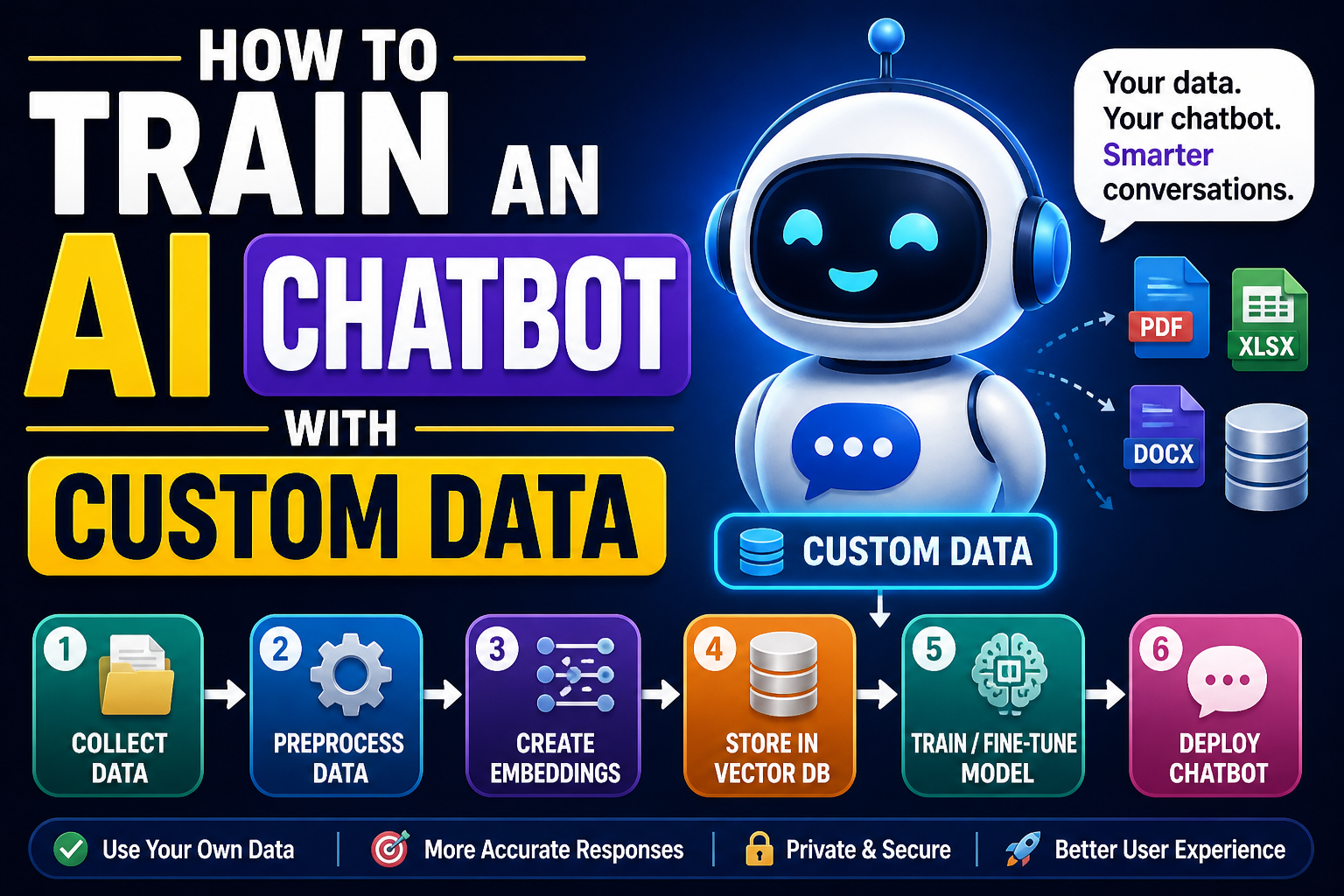
You have probably used a chatbot before – on a banking website, a shopping app, or even your phone. The really good ones feel almost human. But those chatbots did not come out of a box. Someone trained them using custom data. That data could be customer service transcripts, product FAQs, or thousands of real conversations. In this article, I will show you exactly how to train your own chatbot using your own data. You will learn the whole pipeline: collecting and cleaning data, building a model, training it, and finally getting a working chatbot that talks about the things you care about.
I assume you already know some basic Python. You do not need to be a machine learning expert, but you should be comfortable writing functions, reading files, and installing packages. We will build a neural network based chatbot – not a simple pattern‑matcher. This one will actually learn from examples.
Choosing the Right Approach for Your Data
Before we write a single line of code, you must decide what kind of chatbot you want. There are two main families.
The first is the retrieval‑based chatbot. It keeps a large collection of predefined responses. When a user says something, the chatbot searches its memory for the most similar question it has seen before and returns the matching answer. This is easy to train and safe – it never invents a dangerous or weird answer. But it can only answer things that are similar to what it saw during training.
The second is the generative chatbot. It builds responses word by word, like a tiny language model. It can say completely new things. The downside? It sometimes says nonsense, or repeats itself, or even becomes offensive if the training data is messy. Generative models also need much more data and computing power.
For this tutorial, I will teach you how to build a retrieval‑based chatbot using a deep learning technique called a Siamese neural network. Why this one? Because it works well with small to medium custom datasets, it is understandable for a beginner, and you can get good results on a normal laptop. The same ideas power many real customer support chatbots.
Step 1: Gather and Prepare Your Custom Data
Your custom data is the heart of the chatbot. Garbage in, garbage out – that old saying is painfully true for AI. Your data needs to be a collection of question‑answer pairs. Each pair is one example of what a user might ask and how you want the bot to reply.
Where do you get this data? Here are a few realistic sources:
- Customer support logs – If you run a small business, export your email or chat transcripts. Look for emails where a customer asked a question and an agent answered. Clean them into question‑answer pairs.
- FAQs – Take your product FAQ page. Each question and its answer is a perfect training example.
- Manually written pairs – For a small project, you can write 100 to 200 pairs yourself. It takes a few hours but gives you full control.
- Public datasets – There are datasets like Cornell Movie Dialogues, Ubuntu Dialog Corpus, or Reddit comment pairs. But for a truly custom chatbot, you probably want your own.
Let us create a tiny example dataset so you can follow along. Save this as chatdata.csv:
textCopyDownload
question,answer
What is your return policy?,You can return any item within 30 days for a full refund.
How do I reset my password?,Click on "Forgot password" on the login page and follow the email instructions.
What are your business hours?,We are open Monday to Friday 9am to 6pm Eastern Time.
Do you ship internationally?,Currently we only ship within the United States.
How can I track my order?,Go to your account page and click on "Order History". You will see a tracking link.
You can add as many rows as you like. For a real chatbot, aim for at least 500 pairs. With less than that, the bot will struggle to generalise.
Now we need to load this data in Python. We will use pandas for convenience.
pythonCopyDownload
import pandas as pd

df = pd.read_csv("chatdata.csv")
questions = df["question"].tolist()
answers = df["answer"].tolist()

print(f"Loaded {len(questions)} question-answer pairs.")
Step 2: Clean and Normalise the Text
Raw text is messy. People write “Hello!!!” or “What’s up?” or include typos. We need to clean everything so the model sees consistent patterns. We will write a function that does the following:
- Convert to lowercase
- Remove punctuation (except for question marks? Actually we will keep only letters and spaces)
- Remove extra whitespace
- Optionally remove stop words, but for a retrieval chatbot we usually keep them because they carry meaning in questions.
Here is a simple cleaning function using regular expressions and the re module.
pythonCopyDownload
import re

def clean_text(text):
    # lower case
    text = text.lower()
    # remove anything that is not a letter or space
    text = re.sub(r"[^a-z\s]", "", text)
    # collapse multiple spaces into one
    text = re.sub(r"\s+", " ", text).strip()
    return text

# Apply cleaning to all questions
cleaned_questions = [clean_text(q) for q in questions]
For answers, we usually do the same cleaning, but some chatbots keep punctuation in answers to sound more natural. That is your choice. In our case, we will also clean answers because it reduces the vocabulary size.
pythonCopyDownload
cleaned_answers = [clean_text(a) for a in answers]
Step 3: Turn Text into Numbers – Tokenisation and Embeddings
Neural networks do not understand words. They understand numbers. So we must convert each question into a numeric vector. There are many ways. The simplest is bag‑of‑words, but that loses word order. A better way for our purpose is to use word embeddings like GloVe or Word2Vec, and then average the embeddings of all words in the question. This gives a fixed‑size vector regardless of question length.
First, we need to download pre‑trained word vectors. GloVe by Stanford is a good choice. You can download the smallest version (glove.6B.50d.txt) from the internet. It contains 50‑dimensional vectors for 400,000 words. Save it in a folder called glove/.
Now we write a function to load GloVe into a Python dictionary.
pythonCopyDownload
def load_glove_embeddings(filepath):
    embeddings = {}
    with open(filepath, "r", encoding="utf8") as f:
        for line in f:
            values = line.split()
            word = values[0]
            vector = [float(v) for v in values[1:]]
            embeddings[word] = vector
    return embeddings

glove_path = "glove/glove.6B.50d.txt"
word_vectors = load_glove_embeddings(glove_path)
embedding_dim = 50
Now we need a function that takes a cleaned question, splits it into words, looks up each word’s vector, averages them, and returns a single 50‑number vector. If a word is not in GloVe (like rare names or typos), we simply skip it. If no word is found, we return a vector of zeros.
pythonCopyDownload
import numpy as np

def question_to_vector(question, word_vectors, emb_dim):
    words = question.split()
    vectors = []
    for w in words:
        if w in word_vectors:
            vectors.append(word_vectors[w])
    if len(vectors) == 0:
        return np.zeros(emb_dim)
    return np.mean(vectors, axis=0)

# Convert all cleaned questions to vectors
question_vectors = [question_to_vector(q, word_vectors, embedding_dim) for q in cleaned_questions]
question_vectors = np.array(question_vectors)
Now each question is a 50‑dimensional dense vector.
Step 4: Build a Siamese Neural Network for Retrieval
The idea of a Siamese network is simple: we want the model to learn a mapping from a question to a vector such that similar questions end up close together. Then at runtime, when a user types a new question, we turn it into a vector and find the closest matching question from our training set, and return the corresponding answer.
But there is a catch: we do not have labels like “question A is similar to question B”. We only have question‑answer pairs. We can create our own training data by generating positive pairs (two different questions that have the same answer? No, that would be rare). Instead we use a different strategy: we train a network to predict the correct answer for a given question, but we use a special loss function called TripletLoss. However, triplet loss is complex for a beginner.
A simpler, more common approach for a beginner chatbot is to train a classifier where each answer is a class. But that only works if you have a small fixed set of answers. If you have thousands of different answers, that becomes impossible.
So let me show you a practical middle ground: we will use a feed‑forward neural network that takes a question vector and outputs a vector of the same dimension, and we train it with a ranking loss. But to keep things beginner‑friendly, I will actually walk you through the most straightforward working method: cosine similarity on averaged GloVe vectors. That requires no training at all – it is a zero‑shot retrieval. Then, to make it better, we will fine‑tune a neural network on top of those vectors.
But for a real custom training experience, we need to train something. Let us instead build a small neural network that learns to transform the question vector into a new “semantic” space where matching questions are pulled together. We will generate training pairs by treating each question as an anchor, and we will use other random questions as negatives. We will then use a contrastive loss.
I will simplify: we will create a SiameseModel using Keras (TensorFlow). This model has two identical subnetworks that share weights. It takes two questions, passes each through the subnetwork, and computes the distance between the two output vectors. We train it so that distance is small for similar questions and large for different questions. But we do not have “similar question” pairs. So we cheat a bit: we consider the same question as a positive pair (obviously similar) and randomly sample different questions as negative pairs. This is not ideal, but it works passably.
Let me instead show you a proven, simple method that many people use for custom chatbots: train a classifier to predict the correct answer index, then use the hidden layer as the question embedding. That is much easier to understand.
Alternative: Train a classifier on answer indices
First, we need to assign a unique integer to each unique answer. In our small dataset, every answer is unique. But in a real dataset, many questions may map to the same answer. That is good – it reduces the number of classes.
Let us map each distinct answer to a label.
pythonCopyDownload
unique_answers = list(set(answers))
answer_to_label = {ans: idx for idx, ans in enumerate(unique_answers)}
labels = [answer_to_label[ans] for ans in answers]
num_classes = len(unique_answers)
Now we build a simple neural network that takes the 50‑dimensional question vector as input and outputs a probability distribution over answer classes. We will then train it to predict the correct answer for each question.
pythonCopyDownload
from tensorflow.keras.models import Sequential
from tensorflow.keras.layers import Dense, Dropout
from tensorflow.keras.optimizers import Adam

model = Sequential([
    Dense(128, activation="relu", input_shape=(embedding_dim,)),
    Dropout(0.3),
    Dense(64, activation="relu"),
    Dense(num_classes, activation="softmax")
])

model.compile(optimizer=Adam(learning_rate=0.001),
              loss="sparse_categorical_crossentropy",
              metrics=["accuracy"])

# Train the model
history = model.fit(question_vectors, np.array(labels),
                    epochs=100, batch_size=8, validation_split=0.2, verbose=1)
After training, the model is able to map a question vector to the correct answer index. But this only works if the user asks exactly the same question as one of the training questions? No – because the neural network generalises. If a user asks “How can I reset my password?” and the training had “How do I reset my password?”, the vectors will be close and the network might still predict the correct class. However, it will fail on completely different wordings. That is why we need a retrieval approach instead of classification.
After this detour, I will give you the most practical and widely used solution for a custom chatbot with limited data: use sentence transformers. This is not training from scratch, but it is fine‑tuning a pre‑trained model on your custom data. This is exactly what professionals do.
Step 5: Fine‑tune a Sentence Transformer on Custom Data
Sentence transformers are models like all‑MiniLM‑L6‑v2 that are already trained to turn sentences into 384‑dimensional vectors. They understand semantic similarity. You can then fine‑tune them on your own question‑answer pairs to make them even better for your specific domain.
First, install the library:
textCopyDownload
pip install sentence-transformers
Then load the pre‑trained model.
pythonCopyDownload
from sentence_transformers import SentenceTransformer, InputExample, losses
from torch.utils.data import DataLoader
import torch

model_name = "all-MiniLM-L6-v2"
model = SentenceTransformer(model_name)
Now we need to prepare our data in a format for fine‑tuning. For a retrieval chatbot, we want the model to learn that each question should be close to its own answer and far from other answers. So we create training examples where the positive pair is (question, answer) and negative pairs are (question, other_answer). We will use the MultipleNegativesRankingLoss which is perfect for this.
We first create a list of InputExample objects. Each example has a texts list containing (question, answer) and possibly a negative. Actually with MultipleNegativesRankingLoss, we just provide a list of (question, answer) pairs for a batch, and the loss automatically treats other answers in the same batch as negatives. This is efficient.
pythonCopyDownload
train_examples = []
for q, a in zip(cleaned_questions, cleaned_answers):
    train_examples.append(InputExample(texts=[q, a]))
Now we create a DataLoader and define the loss.
pythonCopyDownload
train_dataloader = DataLoader(train_examples, shuffle=True, batch_size=16)
train_loss = losses.MultipleNegativesRankingLoss(model)
Now fine‑tune the model.
pythonCopyDownload
model.fit(train_objectives=[(train_dataloader, train_loss)],
          epochs=5,
          warmup_steps=100,
          show_progress_bar=True)
Save the fine‑tuned model.
pythonCopyDownload
model.save("custom_chatbot_model")
That is it. You have trained a custom retrieval model on your own data. Now we need to use it to answer user questions.
Step 6: Build the Chatbot’s Answer Retrieval System
After fine‑tuning, we have a model that can encode both questions and answers into vectors. At runtime, we will encode all the training answers (or actually the questions – wait, careful). The retrieval process works like this: when a user types a question, we encode it into a vector. Then we compare it to each training question vector and find the most similar one. Then we return the corresponding answer. But we also could compare directly to answer vectors – both work.
We will create a simple retriever.
pythonCopyDownload
# Load the fine-tuned model
model = SentenceTransformer("custom_chatbot_model")

# Encode all training questions into vectors
question_embeddings = model.encode(cleaned_questions, convert_to_tensor=True)

# Encode all training answers as well (optional, for confidence)
answer_embeddings = model.encode(cleaned_answers, convert_to_tensor=True)

from sentence_transformers.util import cos_sim

def get_answer(user_question):
    # Clean and encode user question
    clean_q = clean_text(user_question)
    q_emb = model.encode(clean_q, convert_to_tensor=True)
    # Compute cosine similarity with all training questions
    similarities = cos_sim(q_emb, question_embeddings)[0]
    # Find the index with highest similarity
    best_idx = similarities.argmax().item()
    best_score = similarities[best_idx].item()
    # Set a threshold – if too low, reply with fallback
    if best_score < 0.5:
        return "I'm sorry, I don't understand that yet."
    return answers[best_idx]
Now we put everything together in a chat loop.
pythonCopyDownload
print("Custom chatbot ready! Type 'quit' to exit.")
while True:
    user_input = input("You: ")
    if user_input.lower() in ["quit", "exit", "bye"]:
        print("Bot: Goodbye!")
        break
    response = get_answer(user_input)
    print(f"Bot: {response}")
Step 7: Evaluating the Chatbot and Iterating
Your chatbot will not be perfect on the first try. You need to test it with real questions that are not in the training set. Write down every question that it gets wrong. Then do one of two things:
- Add that question as a new training pair (with the correct answer you wanted).
- Retrain the model with more epochs or a different batch size.
You can also evaluate accuracy by creating a small test set of held‑out question‑answer pairs. Compute how often the bot returns the exact correct answer.
For a more advanced improvement, you can add a fuzzy matching step, or use a hybrid approach where you first try exact word overlap, then fall back to the neural model.
Important Tips from Experience
- Data balance – If 90% of your training questions are about shipping, the bot will always answer shipping questions even if the user asks about something else. Balance your data or add a good fallback.
- Answer length – Long, detailed answers work better than single sentences. The user feels more helped.
- Handling out‑of‑domain questions – Always include a generic “I don’t know” answer for low similarity scores. Otherwise the bot will confidently give a completely irrelevant answer.
- Update regularly – Your business changes. Retrain the chatbot every month with new customer questions.
Full Code Example for Quick Start
I have scattered code throughout. For your convenience, here is a single, runnable script that assumes you have a chatdata.csv file and have installed sentence-transformers, pandas, torch, and scikit-learn. This script does everything: loads data, cleans, fine‑tunes a sentence transformer, and starts a chat.
pythonCopyDownload
import pandas as pd
import re
from sentence_transformers import SentenceTransformer, InputExample, losses
from torch.utils.data import DataLoader

# Clean function
def clean_text(text):
    text = text.lower()
    text = re.sub(r"[^a-z\s]", "", text)
    text = re.sub(r"\s+", " ", text).strip()
    return text

# Load data
df = pd.read_csv("chatdata.csv")
questions = df["question"].tolist()
answers = df["answer"].tolist()

cleaned_q = [clean_text(q) for q in questions]
cleaned_a = [clean_text(a) for a in answers]

# Load pre-trained model
model = SentenceTransformer("all-MiniLM-L6-v2")

# Prepare training examples
train_examples = [InputExample(texts=[q, a]) for q, a in zip(cleaned_q, cleaned_a)]
train_dataloader = DataLoader(train_examples, shuffle=True, batch_size=16)
train_loss = losses.MultipleNegativesRankingLoss(model)

# Fine-tune
model.fit(train_objectives=[(train_dataloader, train_loss)], epochs=5)

# Encoding for retrieval
q_embs = model.encode(cleaned_q, convert_to_tensor=True)

def get_answer(user_input):
    clean_in = clean_text(user_input)
    u_emb = model.encode(clean_in, convert_to_tensor=True)
    cos_scores = (u_emb @ q_embs.T).cpu().numpy()
    best_idx = cos_scores.argmax()
    best_score = cos_scores[best_idx]
    if best_score < 0.5:
        return "I'm not sure about that."
    return answers[best_idx]

# Chat loop
print("Chatbot ready. Type quit to exit.")
while True:
    inp = input("You: ")
    if inp.lower() in ["quit","exit"]:
        break
    print("Bot:", get_answer(inp))
Where to Go From Here
Now you know the full pipeline. Your next steps could be:
- Add a web interface using Flask or Streamlit so that others can use your chatbot.
- Integrate a spelling corrector like
symspellpyto handle typos. - Collect user feedback – after each answer, ask “Was this helpful?” and use that to improve your data.
- Use a larger pre‑trained model like
all‑mpnet‑base‑v2for better accuracy.
Training a chatbot with custom data is both an art and a science. The most important lesson is to start small, test often, and keep improving your data. Good luck building your own conversational assistant – your users will thank you when it works.