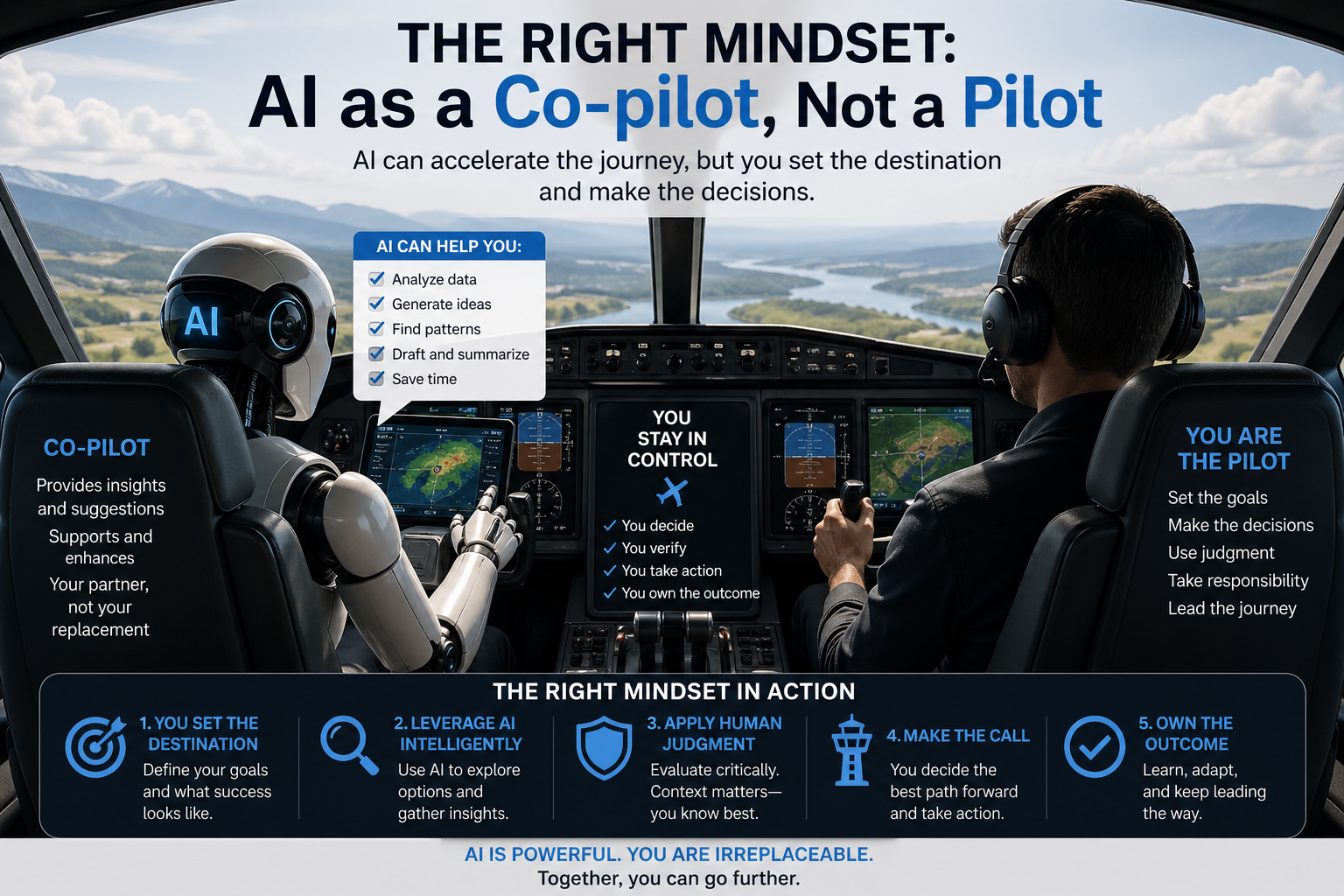
AI is great for:
- Overcoming writer’s block
- Generating outlines and headings
- Rewriting clunky sentences
- Suggesting related keywords and FAQs..
AI is bad at:
- Original opinions, real experiences, or brand voice
- Fact-checking (it hallucinates)
- Creating truly unique content (it remixes existing text)….
Rule: Never publish AI output directly. Always edit, fact-check, and add your own expertise.
2. Pre-Writing: Use AI for Research & Structure
A. Generate a unique outline
Prompt example:
*“Create a detailed outline for a 1500-word blog post titled ‘How to Clean a Leather Sofa’. Include: introduction, 5 main steps, common mistakes, product recommendations, and FAQ. Use a helpful, conversational tone.”*
Then manually modify the outline – change the order, add a personal story section, remove generic points.
B. Find keyword clusters (low competition + high intent)
Use Perplexity AI or ChatGPT with web search (or free tools like AnswerThePublic) to ask:
“What questions do people ask about ‘leather sofa cleaning’ that aren’t answered well on the first page of Google?”
Take those questions as subheadings.
C. Competitor gap analysis
Feed AI the top 3 search results (copy/paste their headings) and ask:
“What topics or angles are missing from these articles? Suggest 3 unique sections I can add.”
Add those to your outline – that’s how you beat duplication.
3. Writing: The “Human-First” Drafting Method
Step 1 – Write your own core paragraphs first
Before using AI, write 2-3 sentences from personal knowledge or experience.
Example: “I once used dish soap on my leather couch – big mistake. It dried out the leather within a week.”
Step 2 – Use AI to expand or rephrase (but don’t copy)
Take a short sentence you wrote – ask AI to write 3 variations. Then blend them with your original.
Example:
Your sentence: “Use a microfiber cloth to avoid scratches.”
AI gives you:
- “Microfiber cloths prevent unsightly scratches on delicate leather.”
- “To keep your leather scratch-free, always opt for a microfiber cloth.”
- “Scratches happen easily; a simple microfiber cloth is your best defense.”
You combine: “Scratches happen fast. Your best defense? A microfiber cloth – it’s gentle and won’t leave marks.”
Step 3 – Add unique data or observations
Google rewards originality. After AI gives generic advice, manually add:
- A specific timestamp (“after 2 weeks of daily use”)
- A comparison (“unbranded spray vs. Leather Honey conditioner”)
- A failure story (“I followed the label and still ruined the color”)
4. SEO Optimization Without Looking Spammy
Keyword placement (do this manually after AI generates text)
| Location | How to add |
|---|---|
| Title tag | Write yourself – include primary keyword naturally, not forced |
| First 100 words | Use keyword once, then a synonym or related phrase |
| H2 subheadings | One keyword per H2, but not every H2 |
| Image alt text | Describe the image – include keyword only if relevant |
| URL slug | Short, keyword-rich, no stop words (e.g., /clean-leather-sofa) |
Avoid keyword stuffing
If AI repeats “leather sofa cleaning” 10 times, delete half and replace with “caring for leather,” “maintaining your couch,” “removing stains.”
Internal linking strategy
Ask AI: “Suggest 5 relevant internal links for a post about cleaning leather sofas, based on my existing sitemap.” Then manually check each link and write custom anchor text.
5. Avoiding Duplicate & Plagiarized Content
Use AI as a rephraser, not a copier
Never take a paragraph from a competitor, feed it to AI, and ask “rewrite this.” That’s still derivative.
Instead, take multiple sources, extract key facts into bullet points, then ask AI:
“Write a short paragraph that combines these three facts without copying the original sentence structures: [fact1, fact2, fact3]”
Check uniqueness before publishing
Free tools:
- Duplichecker (up to 1500 words)
- SmallSEOTools Plagiarism Checker
- Copyscape (paid, but gold standard)
If similarity >5% with any existing page, rewrite those sentences manually – don’t rely on AI to fix it.
Add original media (this kills duplication risk)
- Take your own photos (even smartphone shots)
- Create a simple chart or table
- Embed a Loom video of you explaining a point
- Use original screenshots with red arrows/highlights
Google sees this as unique content, even if the text is similar to others.
6. Polishing: Make It Undetectable as AI-Written
AI detectors look for:
- Uniform sentence length
- Lack of contractions (don’t → don’t)
- No personal pronouns (I, we, my)
- Overuse of “in addition,” “however,” “therefore”
Quick fixes (do these after AI generates a draft)
| AI-like phrase | Replace with |
|---|---|
| “In conclusion, it is evident that…” | “So, here’s the bottom line:” |
| “Furthermore, one should consider…” | “Oh, and don’t forget…” |
| “This product offers excellent value.” | “I think it’s worth the money.” |
| “It is important to note that…” | “Heads up –” |
Add conversational elements
- Rhetorical questions: “Ever cleaned a stain only to make it worse? Yeah, me too.”
- Short, punchy sentences: “Don’t do that. Seriously.”
- A minor correction: “Actually, I was wrong about vinegar – it can damage some leathers.”
7. Workflow Summary (Copy-Paste This for Your Team)
- Outline – AI generates → you edit structure, add personal section.
- Research – AI finds competitor gaps → you pick 2-3 unique angles.
- Draft – You write first 2 sentences of each section manually → AI expands → you blend and rewrite 50% of words.
- SEO – You place keywords, write meta description, alt text manually.
- Uniqueness – Run through plagiarism checker → rewrite any matches.
- Humanize – Read aloud, add conversational breaks, insert a real photo or video.
- Publish – Only after you’ve spent at least as much time editing as generating.
8. Tools That Work (No Shady Spinners)
| Tool | Use for |
|---|---|
| ChatGPT (GPT-4) | Outlines, variations, FAQs |
| Claude | Longer, more natural drafts (less robotic) |
| Perplexity AI | Research with citations (reduces hallucinations) |
| SurferSEO / Frase | Content briefs, keyword density (you still write) |
| Grammarly | Spelling/grammar only – turn off “tone” suggestions |
| Hemingway Editor | Simplify complex sentences manually |
9. What Never to Do
- ❌ Publish AI output verbatim – Google will detect as low-value.
- ❌ Use “AI content detectors” as gospel – they’re unreliable; human review is better.
- ❌ Ask AI for “unique content” – it cannot create truly novel ideas.
- ❌ Skip fact-checking dates, prices, and quotes – AI makes up stuff.
- ❌ Forget your brand voice – run AI output through a brand tone filter (e.g., “rewrite this in a witty, friendly tone”).
Real Example: Before & After (Website Service Page)
Pure AI output (bad):
“Our company offers comprehensive digital marketing services including SEO, PPC, and social media management. We utilize data-driven strategies to maximize ROI. Contact us for a free consultation.”
Human-edited using AI (good):
“We’re not a ‘we do everything’ agency. Instead, we focus on three things that actually drive revenue for small businesses: SEO that outranks your local competitors, PPC ads that don’t burn cash, and social media content that gets shares (not just likes).
👉 Last month, we helped a roofing company get 47 phone calls from one blog post. That’s the kind of result we can show you.
*Ready? Book a free 15-min audit – no pitch, just honest feedback.”*
What changed:
- Short sentences, contractions, emoji.
- Specific number (47 calls).
- No fluff.
- FAQ schema added manually later.
Final Takeaway
Using AI for website content is smart – if you treat it like a junior writer who needs heavy editing.
The winners will be those who:
- Add personal experience, data, and media.
- Rewrite >50% of AI output.
- Check for plagiarism and duplication every time.
Do that, and Google will rank your content as helpful, original, and trustworthy – even if you used AI to speed up the process.
Want a ready-to-use prompt template for a specific page type (e.g., “About Us”, “Product Comparison”, “Listicle”)? Just tell me which.